


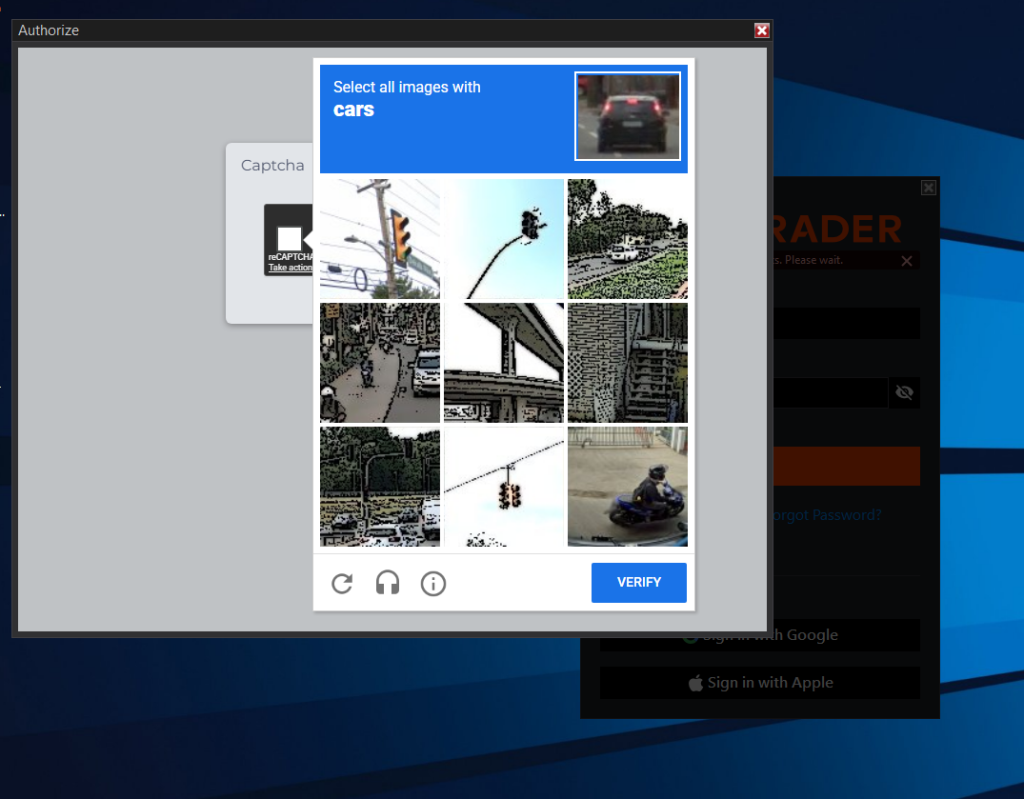
If you encounter a CAPTCHA login loop when trying to log into NinjaTrader 8 on your VPS, this article provides the steps to resolve the issue. This is a common issue caused by NinjaTrader’s recent security updates in version 8.1.2.x, which include enhanced CAPTCHA and authentication processes.
Before You Begin
Make sure NinjaTrader 8 is completely closed before performing any steps below:
- Right-click your taskbar and select Task Manager.
- End any running processes named NinjaTrader.exe or NinjaTrader 8 (32-bit).
- Confirm that no NinjaTrader processes are running.
Step 1: Confirm Your Account Credentials
Before proceeding, log in to your NinjaTrader account through a web browser using the NinjaTrader User Dashboard. This ensures your username and password are correct and your account is active.
Step 2: Sync Your System Clock
Incorrect system time can cause login loops and CAPTCHA failures:
- Right-click the clock in the bottom-right corner of your Windows desktop.
- Select Adjust date and time.
- Enable Set time automatically.
- Scroll down and click Sync now under Synchronize your clock.
- Wait until you see the confirmation: “Time was successfully synchronized”.
Once completed, reopen NinjaTrader 8 and try logging in.
Step 3: Flush Your DNS Cache
If the CAPTCHA loop persists, your system may be pointing to outdated authentication endpoints:
- Close NinjaTrader completely (as described above).
- Open the Start menu, type cmd.
- Right-click Command Prompt and choose Run as administrator.
- Type the following command and press Enter:
ipconfig /flushdns
- You should see the confirmation: “Successfully flushed the DNS Resolver Cache”.
- Flushing the DNS cache is most effective after restarting your VPS.
After this, relaunch NinjaTrader and attempt to log in.
Step 4: Retry and Wait if Needed
If the issue continues after multiple login attempts:
- Restart NinjaTrader and try again.
- If it still fails, wait 15–20 minutes before retrying, as NinjaTrader’s security system may temporarily limit repeated login attempts.
Additional Notes
- This solution resolves the CAPTCHA login loop caused by the new NinjaTrader security update.
- If you continue experiencing issues or receive error messages, contact ChartVPS Support for further assistance.
How to Resolve NinjaTrader 8 CAPTCHA Login Loop on VPS
Tags: NinjaTrader, VPS, CAPTCHA, Login Loop, Troubleshooting
