
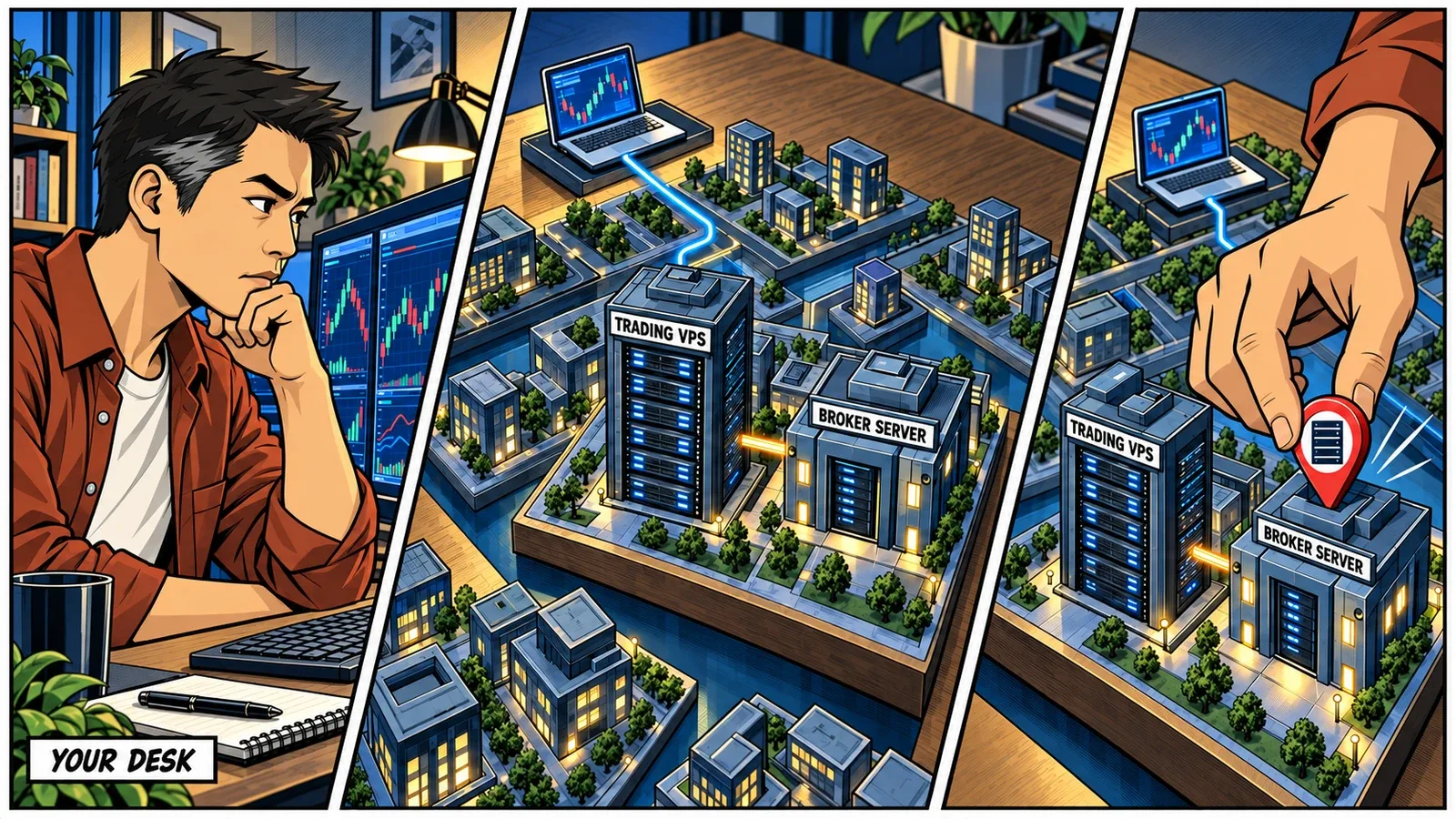
You live in Toronto. Your broker has an office in Sydney. You trade EUR/USD on MetaTrader. Where should your trading VPS be?
None of those details settles it.
The useful address belongs to the server your platform connects to. That might be in New York, London, or somewhere neither your home address nor the broker’s contact page would suggest.
Get that location right and you can remove an unnecessary journey from every price update, order submission, and response that uses that connection. Get it wrong and a very fast computer can spend its time waiting on a very long route.
This is a fairly accessible piece of infrastructure advantage. You do not need to relocate, lease a rack, or become a network engineer. You need to identify the destination, compare the routes, and understand which connection your trading actually depends on.
Follow the Trading Server, Not the Office Address
“Near my broker” sounds straightforward until you ask which part of the broker.
There is the registered office. There is the website. There may be several trading systems serving different platforms, account groups, or regions. An endpoint is the network destination your software connects to, usually identified by a hostname or IP address and a port. That is what we want to locate.
For a concrete example, IC Markets Australia’s published infrastructure page places its MetaTrader 4 and 5 servers in Equinix NY4, in the New York area, and its cTrader servers in LD5, in the London area. Same broker, different platforms, different places to start looking.1
That is a starting point, not permission to assume every account under that brand follows the same route. Confirm the server assigned to your account and platform.
The website is an especially easy wrong turn. Testing a broker’s homepage may tell you how quickly its web infrastructure answers. It does not establish how quickly your trading connection reaches its destination. The contact page is useful for finding support. It is a poor network diagram.
This is also why a recommendation such as “London is best for Forex” is incomplete. London may be an excellent match for your account. The reason should be the connection, not the asset-class label.

Your Desk and Your Platform Have Different Journeys
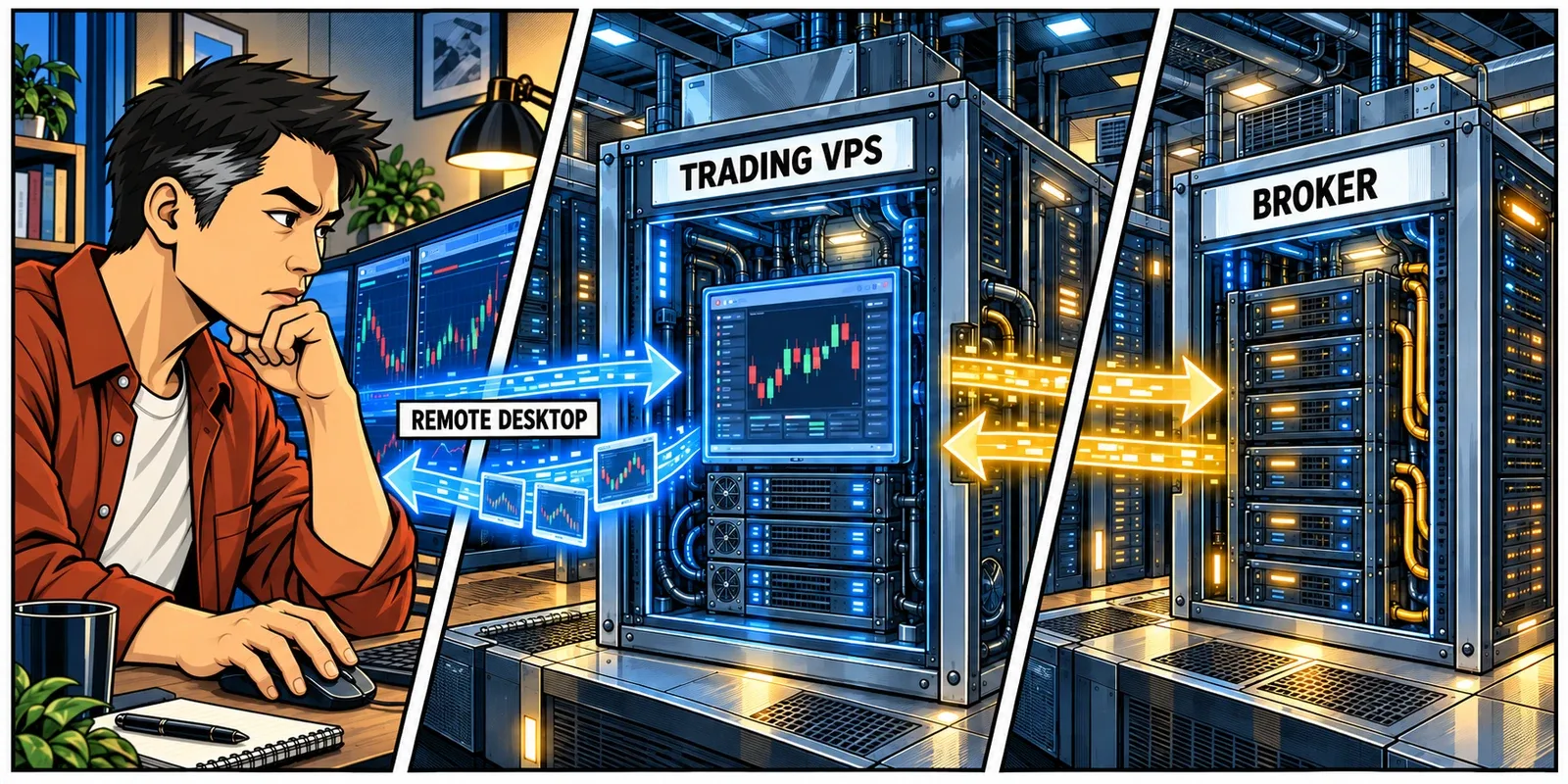
A remote trading setup usually gives you two connections to think about:
- Your device to the VPS: Remote Desktop carries the screen, keyboard, and mouse interaction.
- The VPS to the trading systems: The platform exchanges market data, orders, and account updates with its providers.
Remote Desktop is a way to interact with software running on the remote computer. The software is not secretly running on your laptop because you can see it there.2
For an EA or NinjaScript strategy running entirely on the VPS, that distinction is valuable. Its routine decisions do not need to travel home for approval. Putting the VPS near its broker endpoint can shorten the automated trading path even when you are on another continent.
Manual trading deserves a different assessment. If you watch a remote DOM and click to submit an order, the screen must reach you and your input must reach the VPS. A short VPS-to-broker connection does not erase that part of the experience.
Picture an illustrative setup: you are in Toronto, but your account connects to a London trading server. A London VPS is a sensible candidate for unattended automation. For fast manual order entry through Remote Desktop, compare the whole experience as well, including against your current local setup. A responsive broker connection and a responsive remote screen are related goals, not interchangeable measurements.
And if the strategy runs on your home computer and merely forwards instructions to the VPS, the home connection is still in its decision path. Location helps most when the work that needs the short route runs there too.
Get the Connection Details Before Choosing a City
You do not need your broker’s entire infrastructure map. Start with a small, useful set of details:
| Detail | What It Helps Establish |
|---|---|
| Platform and connection provider | Which software and connectivity service you actually use |
| Account’s server or gateway name | The specific destination, rather than the broker brand |
| Live or demo environment | Whether the proposed test represents the account you intend to use |
| Separate market-data provider | Whether another important connection needs testing |
| Trading hours and manual or automated use | When to test, and which parts of the experience to prioritize |
MetaTrader 5 exposes the trade-server name in its connection settings. Its documentation distinguishes that server address from the account login and password.3 Read the existing details; do not change an assigned server just because another name looks geographically convenient.
Some platforms connect through an access point or gateway before reaching the broker’s internal systems. Ask the broker which destination represents your live connection and whether there is a supported test address. A quick response from an entry point is useful, but it does not measure every step behind it.
A support request can be this simple:
I use [platform] through [connection provider], on [server or gateway], for a live account. I trade during [hours and time zone]. Which hosting locations should I compare, and which endpoint can we test?
No passwords, API secrets, or unredacted account screenshots are needed for that initial conversation. If the server name is unclear, a redacted connection-settings screenshot is often more useful than another round of guessing.
This is work a hosting support team should be comfortable helping with. You are choosing infrastructure, not applying for a networking qualification.
Give the Data Feed a Seat at the Table
The broker connection is important. It may not be the only time-sensitive connection.
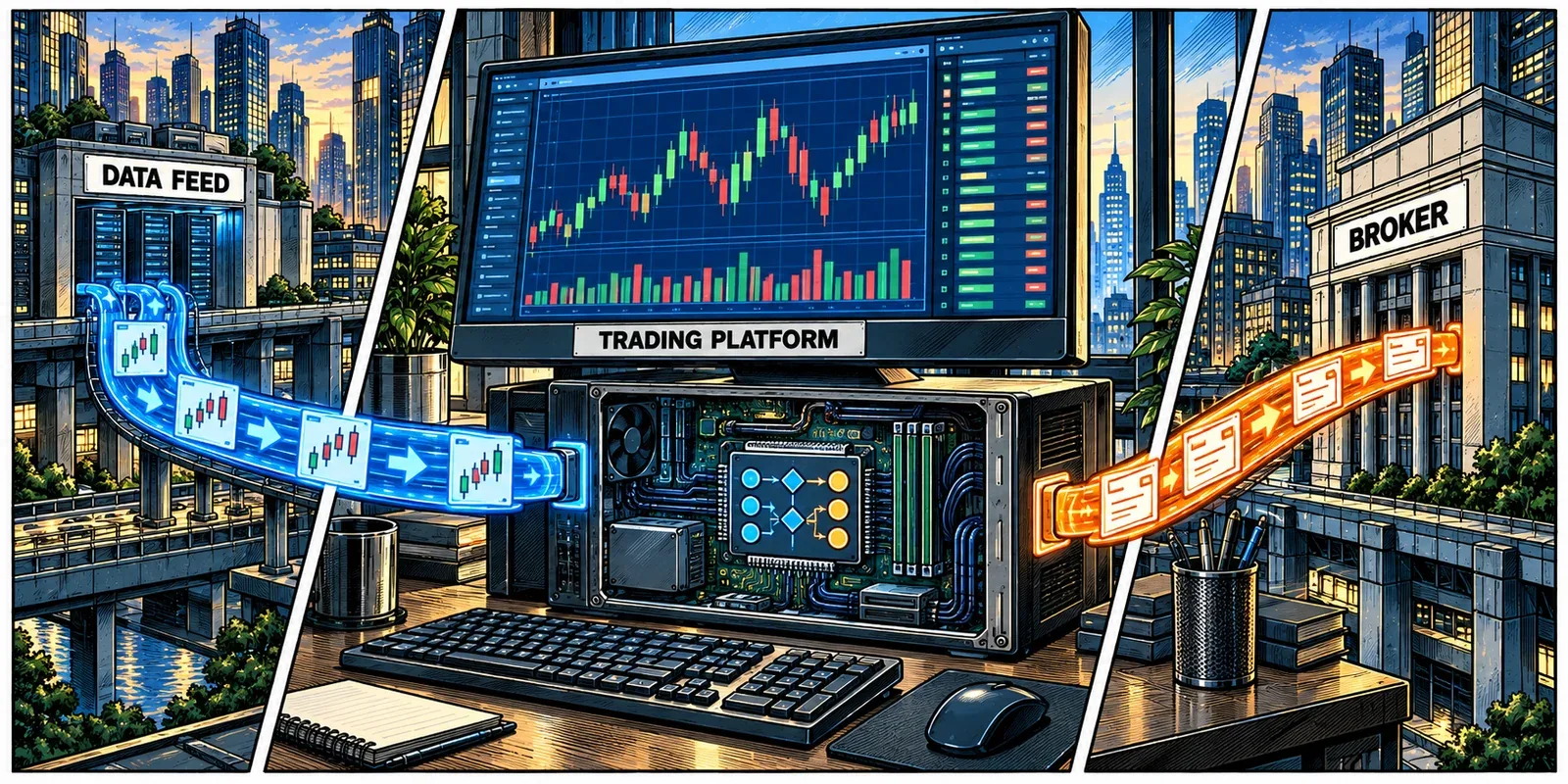
NinjaTrader can use one provider for market data and another for order submission. Its documentation describes, for example, taking data from Kinetick while sending orders through the selected NinjaTrader Continuum account. Real-time and historical data can also have separate preferred connections.4
That creates a practical question: what has to arrive before your strategy can act?
For a futures strategy reacting to incoming ticks, the relevant sequence includes data arriving, local calculations completing, and an order leaving. Moving closer to the order gateway is useful, but you should also check what happened to the feed that triggers those calculations.
For an order-flow trader, continuity of depth updates may be more important than shaving a small amount off an already short order route. For overnight historical downloads, throughput and storage can deserve more attention than the lowest possible ping.
The same distinction applies to crypto setups using a WebSocket market-data stream and a separate order API. Inventory both destinations. Do not assume that because two services share an exchange name, they share an identical network path.
The goal is not to measure every socket Windows opens. Identify the connections that feed your decisions and carry your instructions. Test those first.
Nearby on a Map Is Only the Starting Point
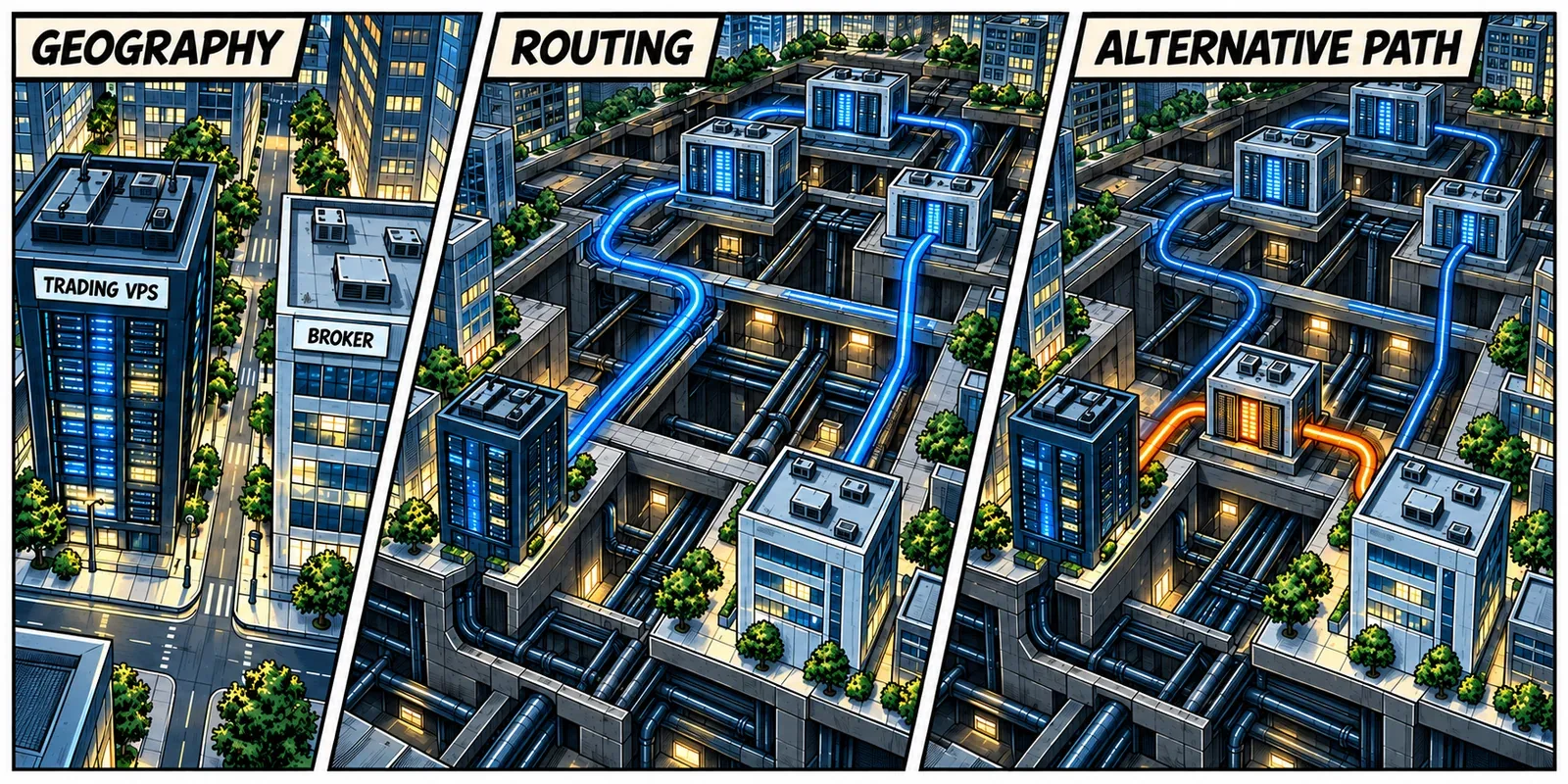
Physical proximity reduces the distance a network path needs to cover. It does not tell you which path traffic actually takes.
Internet traffic passes between networks. BGP, Border Gateway Protocol, exchanges information about reachable destinations, and operators apply routing policies when selecting paths. It is not a stopwatch that automatically chooses whichever route has the lowest measured latency.5
That is why two providers advertising the same city can produce different results to the same broker. Their carriers, interconnections, and routing policies may differ. A nearby building is useful; a well-connected nearby building is more useful.
Redundancy belongs in this conversation too. Multiple carriers and genuinely diverse paths give the operator alternatives when a connection has trouble. Ask how those alternatives are monitored and used. A carrier list alone does not prove that every route is physically independent, or that a change will preserve every trading session without interruption.
Also separate exchange-adjacent hosting from exchange co-location. CME’s co-location offering in Aurora includes specific facility and connectivity arrangements. A VPS marketed as “Chicago” does not, by that label alone, include space in the exchange facility or a dedicated exchange connection.6
For a trader connecting through a broker gateway, the gateway remains part of the route. You do not bypass it by moving closer to the exchange.
Use geography to build the shortlist. Use measurements and an explanation of the network to choose between the candidates.
Test a Trading Day, Not a Screenshot
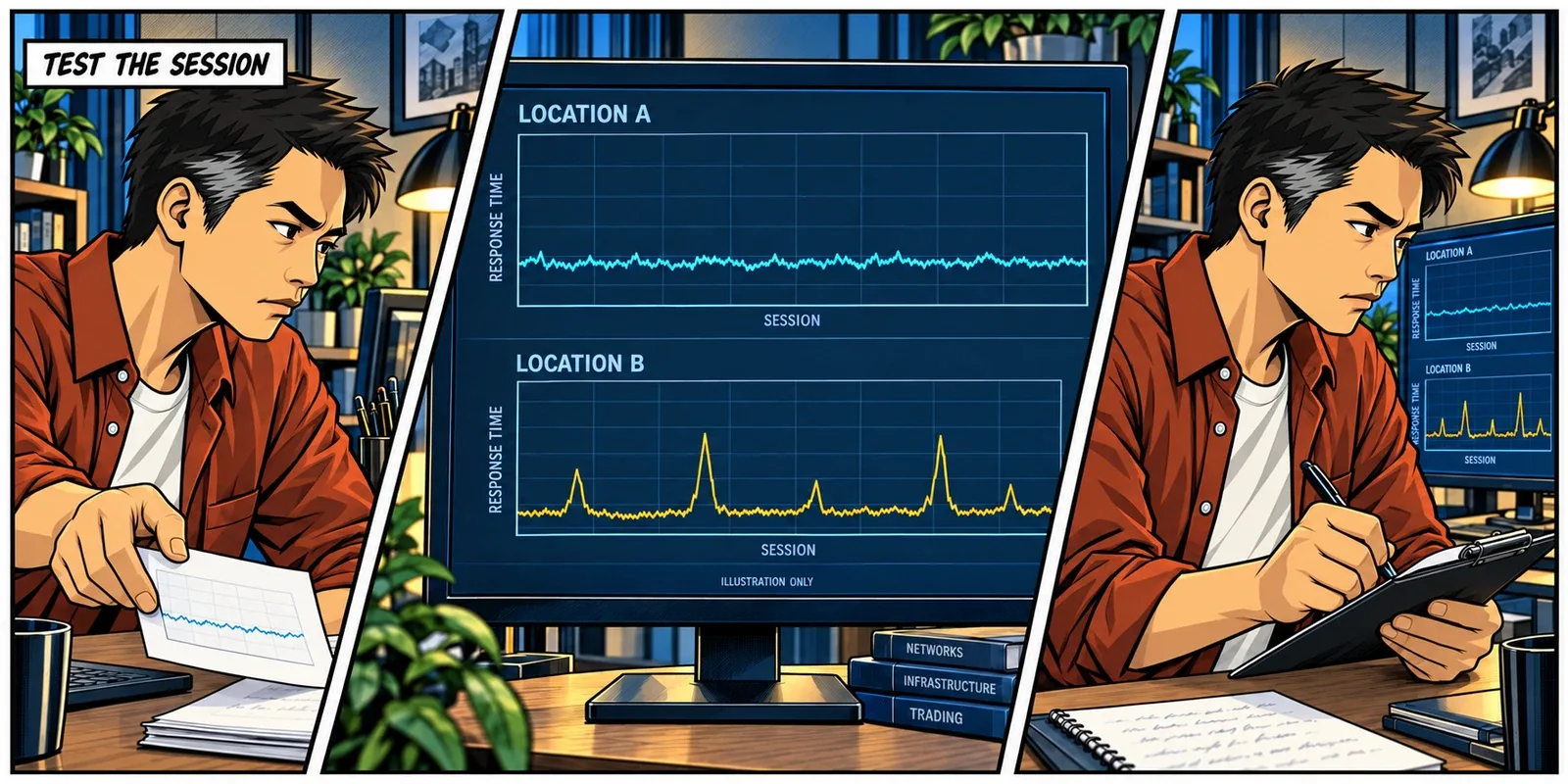
One excellent ping result is easy to display. It is less useful than knowing how the connection behaves when you use it.
Compare candidate locations against the same confirmed destination, using the same test method during comparable periods. Ideally, collect observations across several sessions, including the open or overlap you trade. Record the test time and time zone. A quiet overnight sample cannot stand in for your usual trading window.
Ask the provider to help gather a small comparison sheet:
| Measure | What to Look For |
|---|---|
| Typical round-trip time | The usual network response, not the best isolated result |
| Slower responses | How far and how often the connection departs from its normal range |
| Missing replies or timeouts | Whether failures persist and correspond with application symptoms |
| Platform connection history | Disconnects, reconnects, and data interruptions during the test |
| Remote Desktop responsiveness | Whether manual use remains comfortable from your actual device |
With enough samples, the median describes the middle result; the 95th percentile marks the point at or below which 95% of observations fall. Keep the sample count and time window alongside them. A percentile built from a handful of replies is not much of a reliability study.
Windows ping measures ICMP echo round trips, not order execution.7 If the destination permits it, a modest first check looks like this:
ping -n 60 broker-approved-hostnameReplace the placeholder with the hostname your broker or provider confirms. Run the comparison from each candidate VPS location, not just from your laptop. The laptop measures a different route.
If ICMP is blocked or unsuitable, support may use an approved TCP connection test. Microsoft’s PsPing supports TCP connect timing to a specified host and port.8 That still measures connection establishment, not a submitted order, and should use a modest rate agreed with the endpoint operator.
Traceroute can help investigate the path. Asterisks at an intermediate router do not, on their own, establish that trading traffic is being lost; some routers do not answer those probes.9 Likewise, an unanswered ping can reflect filtering rather than a failed trading connection. Interpret network tests alongside the platform’s logs.
Choose the location that behaves consistently over the periods relevant to your trading, not the one that produced the most flattering screenshot.
Two Brokers May Mean Two Different Priorities
A single-platform setup can have a fairly obvious location choice. A multi-broker desk is less tidy.
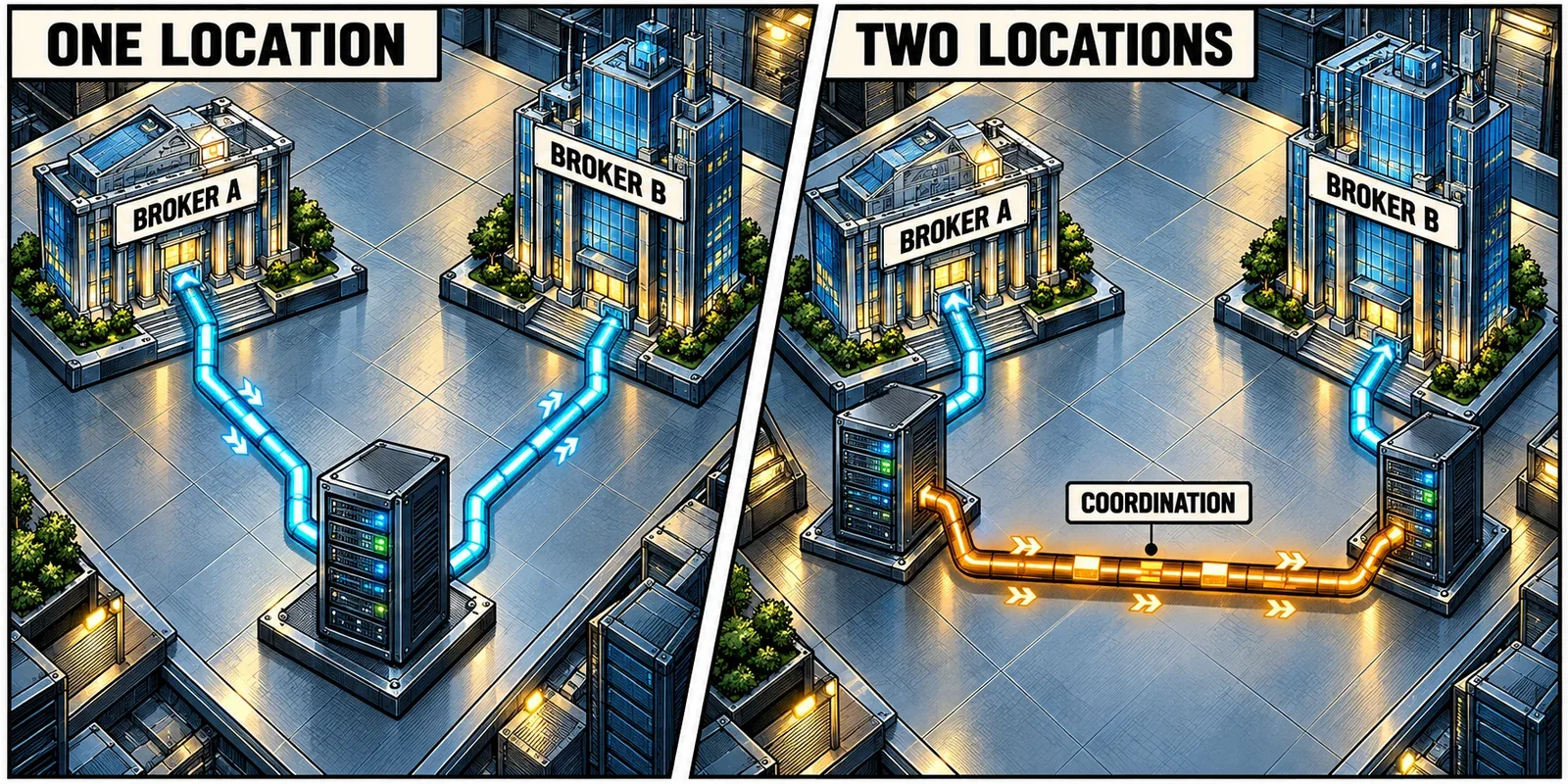
Suppose one automated strategy connects to a New York endpoint and another connects to London. One VPS cannot be physically close to both. Choosing a geographical midpoint does not automatically improve the work either. It may simply make both important connections longer.
Start with the workflow. If the strategies operate independently, separate deployments near their respective destinations may be sensible. If they share state, positions, or a risk process, splitting them introduces another connection that needs to be reliable and understood.
For cross-venue hedging or arbitrage infrastructure, ask where the decision is made, which feed triggers it, and how the second instruction is coordinated. Putting each execution process near its venue does not make the communication between those processes disappear.
Trade copying has a similar dependency. A short route from a copy VPS to its broker is useful, but the lead instruction still needs to reach that VPS. Review the source-to-copy connection as well as the copy-to-broker connection.
You may find that one well-positioned server is entirely adequate. You may find that the workloads deserve separate homes. The right answer follows the dependencies and operational cost, not an assumption that more servers must be more professional.
Make the Choice, Then Keep It Honest
Once you have a clear candidate, validate the actual platform and account connection there before moving your routine across.
Check the workspace, data subscriptions, connection settings, clock synchronization, and permitted login behavior. Confirm that monitoring and recovery arrangements will still cover the new setup. Use simulation or other broker-approved testing where appropriate, while remembering that a demo environment may not use the live route.
Plan the change outside an active strategy window. Know which instance owns any live automation, how existing orders and positions will be reconciled, and how you would return to the previous setup. Accidentally running two copies of a strategy is a rather expensive way to discover that the migration worked.
Keep a dated baseline of the chosen location, endpoint, and normal connection behavior. Recheck after a broker server migration, a platform or connection-provider change, or a persistent deterioration in the route. You do not need to chase every millisecond fluctuation. You do need to notice when the assumptions behind the deployment have changed.
At ChartVPS, the platform and broker-location directory and data-center map can help form that initial shortlist. Support can help confirm the relevant connection and compare locations, rather than leaving you to choose from city names alone.1011 The same standard is worth applying to any host: ask what was tested, from where, and against which endpoint.
Your home address determines where you trade from. Your trading connections should help determine where the work runs.

Related Reading
- Latency Is Not Execution Speed: what happens before and after the network journey.
- Dedicated CPU vs Shared vCPU: understanding the processing resources behind the connection.
- Trading Platforms and Broker Locations: a starting point for matching a platform to a location.
- ChartVPS Data Centers: compare the available infrastructure locations.
Sources
- IC Markets Australia, Forex Trading Servers. Published platform-location information checked September 22, 2026; confirm the endpoint assigned to your account. ↩
- Microsoft Learn, Remote Desktop Protocol. ↩
- MetaQuotes, MetaTrader 5 Platform Settings: Server. ↩
- NinjaTrader Help Guide, Multiple Connections. ↩
- IETF, RFC 4271: A Border Gateway Protocol 4, Section 9.1. ↩
- CME Group, Co-Location Hosting Services and Data Center Sale Leaseback FAQ. ↩
- Microsoft Learn, ping. ↩
- Microsoft Sysinternals, PsPing. ↩
- Microsoft Learn, tracert. ↩
- ChartVPS, Trading Platforms and Broker Locations. ↩
- ChartVPS, Data Centers. ↩